Shadow English
with YouTube

Listen to 1–2 minute clips picked from YouTube interviews and conversations, one phrase at a time, and say each phrase back. Key expressions and words come with simple English notes, and the words you hear collect in your word list.

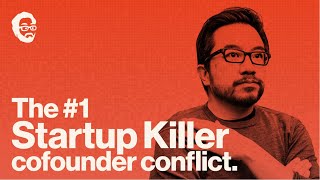
Turning down Peter Thiel's job offer

How It Works

Pick a Clip

We pick 1–2 minute clips from real interviews and conversations and prepare a script, key expressions, and word meanings for each one. Choose by length, word count, and speaking speed.

  • Cleo AbramHow highways show the change AI may bring1:25Aa68175 WPM
  • Garry TanLosing a co-founder by avoiding conflict1:08Aa78199 WPM
  • Y CombinatorExplain your idea to investors in simple words1:37Aa88226 WPM
Listen and Repeat

Long sentences are split into breath-sized phrases. Listen to one phrase and say it right back. Once it feels easy, turn up the speed.

Keep in mind, I was 23 years old,4 I didn't know anything about startups,3 I didn't know anything about finance,1 and I definitely didn't know how these things got started.

Watch Your Progress Add Up

Mumbly keeps track of your practice time, the levels of the words you've heard, and your average listening speed. Tap a day on a chart to see that day's numbers.

Practice Screen, Word List, and Stats

Four Repeat Modes

Play Once, Repeat All, Repeat Phrase, and Phrase by Phrase. Phrase by Phrase pauses after each phrase so you have time to say it.

Play Once Repeat All Repeat Phrase Phrase by Phrase

Notes in Simple English

Key expressions and words get short, easy-to-follow explanations in plain English.

Honestly, I had no idea what I was doing.

have no idea: to not know at all

Word List with CEFR Levels

Each word you hear is saved with its CEFR level, a plain-English meaning, how many times you've heard it, and the sentences it appeared in.

  • figure outto work outB112 times
  • painfulhard to bearB17 times
  • pivotto change courseC13 times

Skip with Your AirPods

Double-tap for the next phrase, triple-tap for the previous one. Keep shadowing without looking at your phone.

Next Phrase
Previous Phrase

Playback Speed

Choose 0.7×, 0.8×, 0.9×, or 1×. The Stats tab shows the speaking speed you practiced at, day by day.

0.7×0.8×0.9×1×

Practice with the Videos You Watch

Tap Share in the YouTube app and choose Mumbly. It picks a good clip for shadowing from that video and writes the script and notes for it.

Choose by Speaking Speed

Every clip shows how fast the native speakers talk, in words per minute (WPM). Start at a speed that feels comfortable and work your way up.

Slow<150WPM

Clear, careful explanations

Moderate150–185WPM

Calm interviews

Fast185–220WPM

Casual back-and-forth

Very Fast220+WPM

Rapid back-and-forth

When you add a video, Mumbly recommends the clip closest to the speed you've been practicing at.

Frequently Asked Questions

What videos do I practice with?

Mostly interviews and conversations in American English. We focus on real back-and-forth talk rather than lectures, and pick 1–2 minute clips full of everyday expressions. Each clip comes ready with a script, key expressions, and word meanings.

Does Mumbly record my voice?

No. Mumbly doesn't use the microphone. It only keeps track of how many times you listened to each phrase and how long you practiced.

How much English do I need to know?

You can slow clips down to 0.7×, and key expressions and words are explained in plain English, so you can start even if videos are hard to follow without captions. At first, just pick the slower clips.

Can I use videos I watch on YouTube?

Yes. Tap Share in the YouTube app and choose Mumbly, and it recommends a good clip for shadowing from that video. The video needs to be in English and have English captions, and there's a daily limit on how many you can add.

What devices does Mumbly work on?

It works on iPhone with iOS 18 or later and on Android phones with Android 9 or later.

How do I create an account?

Sign in with Apple or Google and you're ready to go. You don't need to create a password. You can delete your account anytime in the app's Settings.

Shadow your first
clip today

iPhone with iOS 18 or later, Android 9 or later